

Tools are left on-site overnight. Deliveries arrive before the crew. Your new building has no internet connection yet. How do you check what is happening without driving over?
The best security camera for a construction site without Wi-Fi should match three things: the cellular signal at your site, the power available, and how often you need to watch. For motion alerts and occasional live checks, a solar 4G camera is a practical option to consider.
Quick answer: Look for cellular connectivity, solar charging with battery backup, motion notifications and remote live view. The SC61 brings these features together with dual lenses. Check compatible coverage and the data plan before choosing it for your location.
How can you monitor a construction site without Wi-Fi?
A Wi-Fi camera needs a reachable Wi-Fi network. A 4G LTE security camera connects through a cellular network instead, so you do not need to install a broadband router at the jobsite. Solar charging addresses a separate problem: keeping the battery topped up where an outlet is inconvenient.
Think of the setup as two essentials: cellular service for communication, sunlight and a battery for power. No Wi-Fi does not mean no signal is needed. Test the camera at the intended mounting spot before leaving it unattended.
Start with the areas you actually need to see
A large building site can contain several separate monitoring zones. Start with the entrance, tool storage or equipment parking area instead of expecting one camera to see through every obstruction.
- Site entrance: Check arrivals and deliveries when you are away.
- Tools and materials: Aim toward the approach to a storage container or shed.
- Equipment parking: Keep a useful view of the access route after the crew leaves.
Walk through each area during setup. A camera that looks well positioned from the ground may have its view blocked by a parked truck, stacked materials or new scaffolding a week later.
Why consider the Campark SC61?

Two views for a changing site
The SC61 pairs a fixed lens with a pan-and-tilt lens, and supports viewing and recording two views at once. Keep one view on a priority area while adjusting the other to inspect nearby activity.
Its 2K live view and motion alerts let you check the scene from your phone through the CloudEye 365 app.
A 5W solar panel and 7,800mAh rechargeable battery help reduce charging visits. IP66 protection supports outdoor installation, while infrared and spotlight-assisted color night vision offer options after dark.

Beyond the jobsite: chalets, cabins and remote property
The same question comes up when a property sits empty between visits. In a discussion about a solar 4G camera for a chalet, one owner wanted outdoor monitoring without Wi-Fi, mainly using motion alerts and opening live view only when necessary. They also wanted help choosing a data plan.
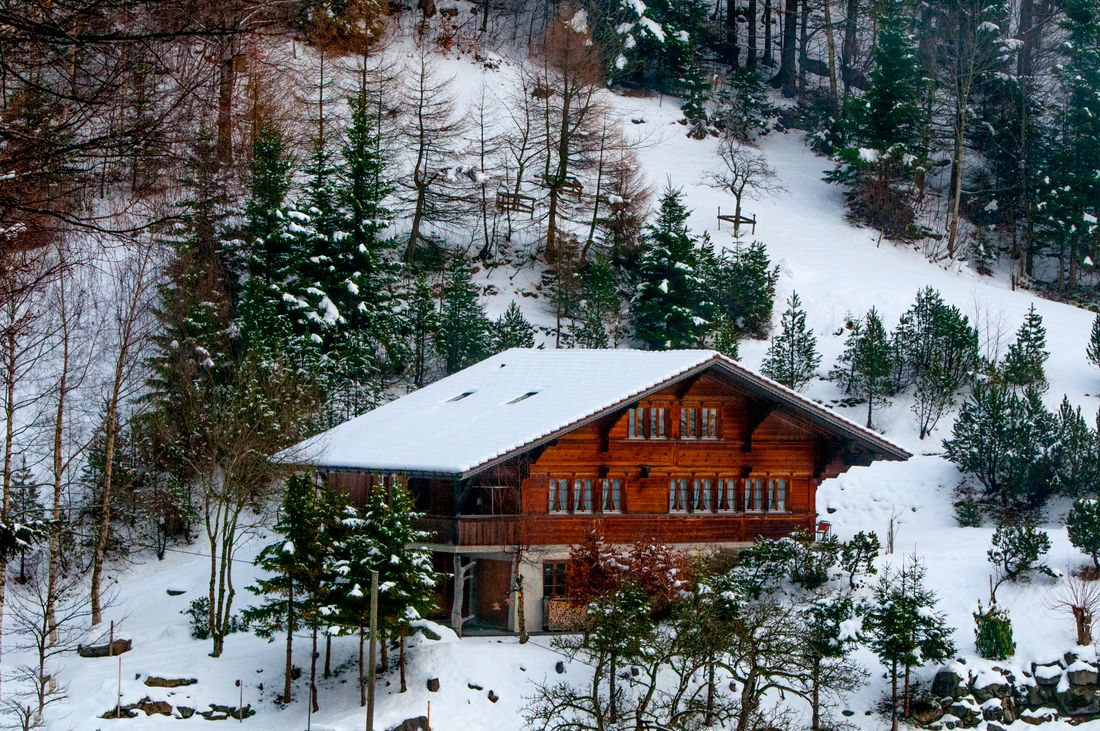
Chalets and vacation cabins
Prioritize the entrance, driveway or approach to the porch. For a seasonal property, plan around the least sunny months, not just a bright installation day. Trees, roof shadows and snow can interfere with solar charging; leave yourself a practical way to reach and maintain the panel.
Farms, ranches and distant gates
A gate may be too far from the house for Wi-Fi, even when the house has reliable internet. Check the cellular signal at the gate itself. Position the camera around the entry route you want to inspect, rather than trying to cover an entire field in one view.
Storage yards and undeveloped land
Identify a stable mounting point and a clear view of the main access route. Recheck both signal and framing whenever you move the camera to another part of the property.
What data plan does a solar 4G camera need?
Start with your viewing habits. Brief checks after a notification are a different use case from leaving a live stream open throughout the working day. Video quality, viewing duration and uploaded clips all affect data use, so there is no single monthly allowance that fits every property.
The SC61 uses a pre-installed, non-removable SIM and requires a compatible data subscription for cellular service. Check the current SC61 plan options rather than buying a separate SIM based only on its physical size. Confirm supported country and coverage before ordering.
Cellular data and cloud storage are separate. The SC61 supports local recording on a microSD card up to 256GB, sold separately; cloud storage is optional. Choosing local storage does not remove the need for cellular service when accessing the camera remotely.
Before you leave the camera on-site
- Test the connection. Activate service and check live view at the final mounting location.
- Check sunlight. Keep the panel clear of scaffolding, roof overhangs and growing foliage.
- Test alerts and saved clips. Walk through the approach and confirm that the setup captures the activity you care about.
- Review after dark. Check whether placement and lighting give you a useful view.
- Watch battery performance. Review it after busy days and cloudy weather, and adjust your usage or charging plan if needed.
Need continuous recording? Remote live view and motion-based monitoring are different from recording every second. Do not treat a solar battery camera as a guaranteed 24/7 continuous-recording system. If an uninterrupted timeline is essential, confirm recording support and plan a suitable continuous power supply before buying.
Frequently asked questions
Will a solar 4G camera work with no cellular signal?
You need compatible cellular coverage for remote viewing and alerts. A solar panel supplies power; it cannot create a network connection.
Can I use it without an outdoor power outlet?
Solar charging and a rechargeable battery make an outlet-free setup possible. Check real battery performance at your location, especially during prolonged shade, poor weather or frequent activity.
Is one camera enough for a construction site?
That depends on the layout. Dual lenses give you two views, but containers, walls and machinery still block sightlines. Separate entrances or hidden storage zones may need additional cameras.
Check your property without waiting for Wi-Fi
For a jobsite, cabin or remote gate, start with the view that matters most. If your location has compatible 4G coverage and suitable sunlight, explore the SC61 for alerts and on-demand checks.
Explore the Campark SC61